
Unraw - HTML in Slack. Simplified
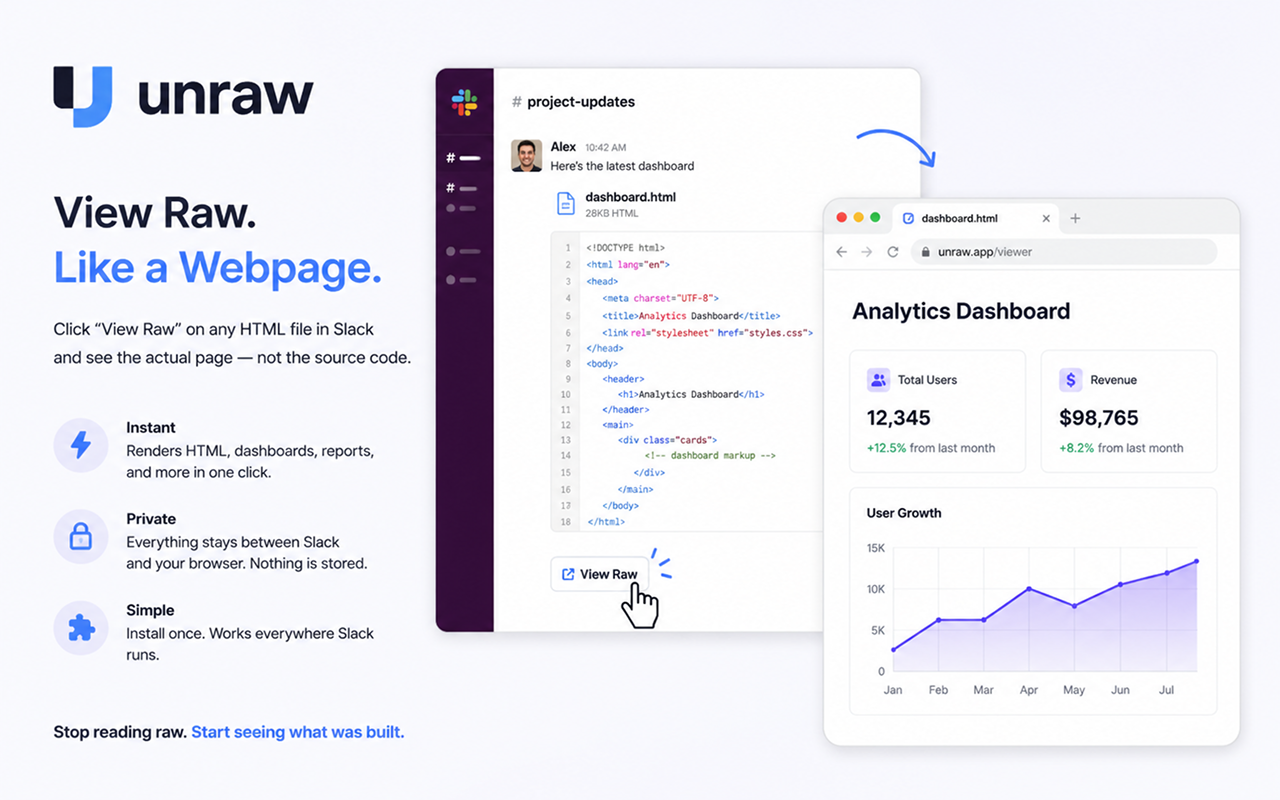
Unraw: View HTML Files in Slack, Rendered
TL;DR - I built a tiny Chrome extension that renders HTML files shared in Slack instead of showing you the source code. It's called Unraw. Install it from the Chrome Web Store → Unraw
The problem
More and more of my day-to-day work product is a single HTML file. Pitch microsites, AI-generated reports, interactive dashboards, prototypes - they're portable, self-contained, and render identically everywhere. HTML is quietly becoming the new PDF.
Except in Slack.
Drop an HTML file into a channel and Slack shows your teammates a syntax-highlighted wall of source code. The closest thing to a "view" option is View Raw - which opens the file in your browser . . . as plain text. Slack serves it as a specific content type, so the browser dutifully shows you markup instead of the page.
The non-solutions
I went down the rabbit hole so you don't have to:
A Slack bot that re-hosts the file? Now your proprietary work is sitting on someone's server. No.
A local agent each teammate runs? Works, but now everyone's installing and babysitting a background process.
Slack settings? There's no "render HTML" option. It's not coming.
The right answer turned out to be the smallest one: fix the rendering at the moment it goes wrong - in your own browser.
The solution
Unraw is a Chrome extension with one job. When you click View Raw on an HTML file in Slack, Unraw detects that the page is raw HTML source and renders it instead. Full layout, styles, interactivity. The page your teammate actually built.
Zero setup. Install the extension and click View Raw like you always would.
Zero infrastructure. No servers, no bots, no IT tickets.
Zero data collection. Everything happens locally, between Slack and your browser. The file is never uploaded, logged, or sent anywhere. The extension doesn't collect any user data at all.
One tip: if you use the Slack desktop app, set Chrome as your system default browser. The View Raw link carries a session token that only resolves in a browser where you're signed into Slack.
How it works (for the curious)
Slack serves raw files as text/plain, so the browser refuses to render them. Unraw runs a small content script - scoped only to Slack's file domains (files.slack.com and slack-files.com) - that checks whether the page body is HTML source, and if so, renders it in place. That's the whole trick. ~20 lines of JavaScript, no permissions beyond those two domains.
Support
Are you a user having trouble?
The file still shows as source code - make sure you opened it via View Raw in a browser where you're logged into Slack (not an expired link), and that the extension is enabled at chrome://extensions.
"The requested file could not be found" - the View Raw link's token is tied to your browser session. Set Chrome as your default browser so links from the Slack desktop app open where you're signed in. Safari will come someday, but not today.
Something else? Email me at dw@darrellwhitelaw.com - I read everything.
Privacy: Unraw collects no data. No analytics, no tracking, no network requests. The extension's only permission is to run on Slack's file-hosting domains, and the only thing it does there is render HTML that's already on your screen.